
BUYER'S GUIDE
Key Takeaways
- Measure the usable footprint, including doors, storage, walkways, and chair movement, before comparing desktop dimensions.
- Treat desk width and desk depth as separate decisions. Width carries the screen layout; depth needs to accommodate screens, keyboard, mouse movement, and cable routing.
- Monitor stands and monitor arms can change the usable space in different ways. Measure the installed setup, not just the display panels.
- Use a floor-tape mockup to test a proposed footprint before ordering or stocking a configuration.
- Confirm the desktop, frame, leg, crossbar, and accessory dimensions on the current specification document for the exact model.
BUYER'S GUIDE
Start With The Room, Not A Standard Desk Size
“What size gaming desk do I need?” has no one-size answer. Locate the working zone: the part of the room where a desk can sit without blocking normal use. Mark door and wardrobe swings, radiators, baseboards, outlets, and passages before assuming an empty wall is usable. The footprint includes the desk, chair movement, and an access route. Keep the desktop outline separate from the base or feet; they may differ on a given model.
Measure The Usable Footprint
Use a tape measure and make a simple top-down sketch. Record the measurement points, unit, and date. If you work in inches, keep the whole sketch in inches; if you work in millimetres, keep it in millimetres. Convert only once you need to compare a supplier drawing or product specification.
| Item To Record | What To Measure | Why It Matters |
|---|---|---|
| Usable wall width | Clear wall section between fixed obstacles | Sets the possible desk width range |
| Usable room depth | Wall to the first route, furniture edge, or fixed obstruction | Sets the available desk depth and chair area |
| Fixed features | Outlets, vents, windowsills, baseboards, shelves, and radiators | May affect placement, cable access, or the desk’s fit |
| Desk footprint | Desktop edge and, separately, the base or feet on the exact model | A desktop measurement alone may not describe floor use |
| Measurement source | Your sketch, a current product drawing, or both | Keeps assumptions traceable |
Mark Doors, Walkways, And Chair Movement
Draw door and cabinet swings, plus the route into the room and the space required to sit, stand, and move the chair. In a shared room, mark where another person passes behind the chair.
No single clearance number fits every gaming room. Test whether routes and chair movement remain usable with the desk and equipment in place. For a sit-stand desk-specific method, see desk size planning by room and setup; it is a planning method, not a universal gaming clearance standard.
BUYER'S GUIDE
Choose Desk Width Around Your Monitor Layout
Desk width is the left-to-right space for screens and the items that must sit beside them. Start with your usual layout—one screen, two screens, ultrawide, or screen plus laptop—then add the actual footprint of speakers, a microphone base, dock, console, or other equipment.
Do not infer two-monitor width from display diagonal alone. Measure outer widths, stands, screen angle, and gaps. An arm can release surface area but may need rear clamping space and a compatible desktop edge. Check both the arm instructions and current desk specification.
Single, Dual, And Ultrawide Layouts
| Planned Layout | Measure Before Comparing Desk Width | Desk-Planning Question |
|---|---|---|
| Single screen | Screen outer width, stand footprint or arm clamp, keyboard/mouse zone | Is there room for the screen to stay centred while keeping frequent controls close? |
| Dual screens | Combined outer width, stands or arm bases, screen angle, centre position | Can the primary screen sit directly in front of the user without crowding side equipment? |
| Ultrawide screen | Display outer width, stand or arm footprint, rear projection | Does the screen leave enough width for the controls and accessories that remain on the desktop? |
| Screen plus laptop | Screen, laptop support, keyboard, and any dock | Which display is primary, and where will the laptop keyboard or external keyboard sit? |
For screen-based work, U.S. OSHA advises placing the monitor directly in front of the user and generally at least 20 inches (50 cm) away; it describes a preferred viewing distance of 20–40 inches (50–100 cm), depending on the user and display. [1] This is a placement reference, not a prescribed desk size. Your candidate depth, chair position, monitor support, vision needs, and screen settings still need to work together.
Measure Equipment Before Comparing Widths
Measure equipment as it will be used, not as it appears in a listing. Measure paired screens at their intended angle, with stands or arms installed. Keep optional items separate so they do not dictate the desk width. This gives brands and retailers a more useful brief than “desk for dual monitors.”
BUYER'S GUIDE
Plan Desk Depth For Screens, Keyboard, And Mouse Movement
Desk depth is front-to-back space for the screen or arm, keyboard, mouse movement, and rear cable routing. More depth is not automatically better; it must fit the room and keep controls reachable.
Sketch the desk from above, working back to front: screen or arm, cable allowance, keyboard, then mouse area. This shows whether a monitor stand consumes keyboard space or a desktop PC takes the primary work zone.
OSHA says the work surface should permit at least 20 inches (50 cm) of monitor viewing distance and keep frequently used devices within the primary work zone. [2] HSE describes a setup with the screen about an arm’s length away, screen and keyboard central, and the mouse in line with the elbow. [3] Use these as layout checks, not as a generic desk-depth prescription.
Account For Monitor Stands Or Arms
A stand uses desktop area, often at the rear centre. An arm can release that area but introduces clamp position, cable routing, rear clearance, and adjustment travel. Record those requirements against the arm documentation and desk specification.
For dual screens, the screen used most should normally sit directly in front of the user. Comcare also advises positioning dual screens side by side and angling them slightly toward each other. [4] Revisit a layout that cannot do this before simply making the desktop wider.
Keep The Front Work Zone Usable
Keep the front work zone free for keyboard and mouse use rather than controllers, a phone, or display packaging. HSE says the work surface should allow flexible arrangement of the screen, keyboard, documents, and related equipment, with enough space to find a comfortable position. [5]
BUYER'S GUIDE
Map The Full Setup Before Selecting A Gaming Desk
List the whole setup before considering finishes or accessories. This separates genuine desktop requirements from items that can live elsewhere.
| Setup Item | Must Be On The Desktop? | Can Be Below Or Beside The Desk? | What To Verify |
|---|---|---|---|
| Main monitor(s) | Usually | Sometimes, with a wall mount | Stand or arm footprint, placement, and cable route |
| PC tower | Sometimes | Often | Ventilation and maintenance needs; exact desk base and under-desk geometry |
| Keyboard and mouse | Yes | No | Front work zone and intended mouse movement |
| Speakers | Sometimes | Often | Stand footprint, cable path, and placement plan |
| Microphone arm, camera, or light | Sometimes | Sometimes | Clamp, base, reach, and equipment clearance |
| Controllers and charging dock | No | Often | Charging cable and storage location |
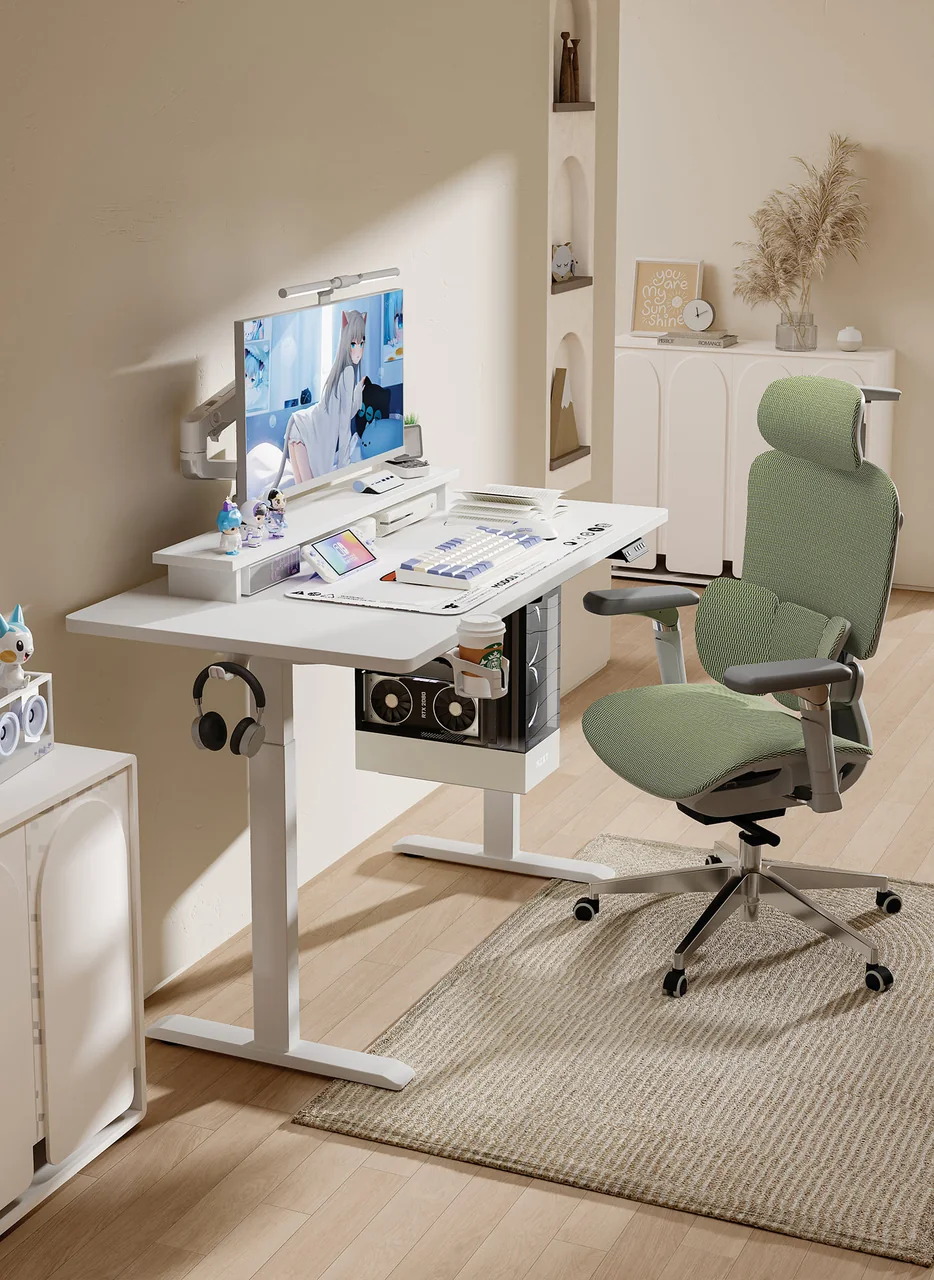
Do not assume a PC fits under one desk because it fits beneath another. Check leg positions, crossbar, feet, and cable-management parts against a current drawing; do the same for clamp-on arms and large accessories.

BUYER'S GUIDE
Check Clearance For The Chair, Legs, And Everyday Access
Step away from the desktop. Under-desk storage, a support frame, cable trays, and a PC tower can all restrict legroom and movement. OSHA advises keeping clearance space free of items that limit room for legs and feet. [2] Check the actual furniture and the way you sit.
Use both views in the sketch:
- Top-down: desk edge, chair travel, door swing, drawers, walkways, and the PC if it is beside or under the desk.
- Side view: monitor height and distance, desktop edge, keyboard position, chair, legroom, and any crossbar or tray.
Check reaching an outlet, opening drawers, cleaning behind the desk, and moving the chair without snagging cables. These actions often reveal conflicts missed by a desktop-only comparison.
BUYER'S GUIDE
Use A Floor-Tape Mockup To Test The Footprint
Floor tape is a low-cost way to test a proposed footprint. Mark the candidate desktop edge and, if different, the feet or base. Use safe stand-ins for the PC or storage, but do not substitute a mockup for the selected product’s dimensions.
Sit in the chair, pull it back, enter and leave the room, open nearby doors, and record conflicts. This is particularly useful in compact bedrooms, streaming corners, and multipurpose rooms.
| Mockup Check | Record | Next Action |
|---|---|---|
| Room range | Usable width and depth, plus measurement unit | Recheck any dimension taken around fixed obstacles |
| Candidate outline | Desktop edge and any separate base/foot outline | Compare with the current model drawing |
| Equipment layout | Monitor support, PC, speakers, and accessories | Move optional items before increasing desktop size |
| Routes | Chair movement, door/cabinet swing, and walkways | Mark each route as clear, conflicted, or unconfirmed |
| Open questions | Missing dimensions or accessory requirements | Request the relevant current specification document |
BUYER'S GUIDE
Compare Candidate Gaming Desk Dimensions Side By Side
A comparison works only when every candidate is tested against the same setup. Do not compare one model by desktop width and another by advertised footprint. Keep unknowns visible rather than estimating them.
| Candidate | Desktop Width × Depth | Room Check | Monitor And Equipment Plan | Chair/Route Check | Frame Or Support Limits | Specification Source/Revision | Status |
|---|---|---|---|---|---|---|---|
| Candidate A | To Confirm | Clear / Conflict / Unconfirmed | To Confirm | Clear / Conflict / Unconfirmed | To Confirm | To Confirm | Hold / Review |
| Candidate B | To Confirm | Clear / Conflict / Unconfirmed | To Confirm | Clear / Conflict / Unconfirmed | To Confirm | To Confirm | Hold / Review |
| Candidate C | To Confirm | Clear / Conflict / Unconfirmed | To Confirm | Clear / Conflict / Unconfirmed | To Confirm | To Confirm | Hold / Review |
If one of the candidates is height-adjustable, use the same discipline for its base and accessories. Our standing desk frame buyer’s guide explains how to confirm frame fit, configuration, and supplier evidence. It does not replace checking the specific gaming setup and room plan above.
BUYER'S GUIDE
A Buyer Checklist For Players And Gaming Desk Brands
Before selecting a desk or developing a range, complete these checks:
- I measured usable room width and depth, not only the open wall.
- I marked doors, drawers, outlets, baseboards, and the chair route.
- I measured monitors with their stands or arms in the planned arrangement.
- I mapped keyboard, mouse, PC, speakers, and accessories by their actual location.
- I assessed desktop dimensions separately from feet, legs, crossbars, and accessory mounts.
- I tested the proposed footprint with floor tape and recorded conflicts.
- I compared candidates using an up-to-date document for the exact configuration.
Brands, retailers, and project buyers should also record the market, use scenario, target width-and-depth range, packaging/display constraints, and documents to confirm. Do not assume a configuration or accessory combination is available until confirmed for the product in scope. Browse products or explore resources for related planning information.
FREQUENTLY ASKED QUESTIONS
Questions to settle before you request a quotation.
What Size Gaming Desk Do I Need For Two Monitors?+
Measure monitors in their intended position, including stands or arms, then add the keyboard, mouse area, and required desktop equipment. Compare the layout with the usable room footprint and verified dimensions of each candidate. There is no universal two-monitor size because monitor widths, supports, angles, and rooms differ.
How Deep Should A Gaming Desk Be?+
Plan depth around the monitor or arm, keyboard, mouse movement, and cable needs. Then check screen distance and a usable front work zone. Verify desktop depth and rear-edge requirements for every arm or accessory.
Can A Gaming Desk Fit In A Small Room?+
It can if the footprint, chair movement, and daily routes work together. Measure the usable area, mark door and storage swings, then test the candidate outline with floor tape. A desk can fit against a wall but still block access or chair movement.
Should I Place My PC On The Desk Or Underneath It?+
Choose based on desktop space, cable routing, ventilation and maintenance needs, and desk structure. If it goes underneath, confirm leg positions, crossbar, storage, and cable-management geometry on the product specification. A desktop photo alone is not enough.
RELATED BUYER GUIDES
Continue with the next practical question.
Each guide below develops the product, evidence or commercial question that naturally follows this one.
GAMING DESKS
Gaming Desks: A Buyer and Sourcing Guide for Brands, Retailers, and Players
Turn a gaming-desk concept into a clearer assortment, configuration and supplier discussion.
SMALL SPACES
Small Standing Desks: How to Choose the Right Fit for a Home Office
Plan a compact sit-stand desk around usable room dimensions, equipment and movement clearances.
SMALL SPACES
How to Measure a Small Room for a Sit-Stand Desk
Measure the working footprint, chair movement, doors and cables before selecting a compact desk.
READY TO MAKE A MORE INFORMED DECISION?
Ask About Available Gaming Desk Configurations
Planning a gaming desk range or a specific setup? Share your target width-and-depth range, monitor and equipment layout, and sales or use market. [Contact GB Ergonomic](/contact) to ask which desktop configurations and current specification documents are available for that scope.
Get a focused responseSOURCES AND FURTHER READING
The references below support the standards, procurement and workplace context in this guide. Requirements should always be verified against the exact product configuration, destination market and commercial arrangement.
- Occupational Safety and Health Administration Computer Workstations Monitors
- Occupational Safety and Health Administration Computer Workstations Desks
- Health and Safety Executive Good Posture When Using Display Screen Equipment
- Comcare Computers and Workstations
- Health and Safety Executive Work With Display Screen Equipment Guidance
ABOUT THIS GUIDE
Written by the GB Ergonomic Editorial Team and reviewed on October 27, 2026. This is an educational buyer resource, not legal, certification or regulatory advice. Product evidence, standards and commercial terms should be confirmed for the exact configuration and destination market.