
BUYER'S GUIDE
How to Choose a Gaming Desk: Start With Your Setup and Use
Begin with an equipment-to-space list: monitor and stand or arm, keyboard, mouse area, PC, audio, camera, controller dock, storage and cables. Add non-gaming tasks such as editing, drawing or video calls.
Mark each item must-have, useful or not needed. A frequent peripheral change may favour clear access; a streamer may need attachment points and lighting space. OSHA advises keeping the display in front of the user and frequently used devices easy to reach; it also notes that rounded leading edges can reduce forearm and wrist contact stress. [1] This is a setup check, not proof that any desk will fit you.
| Setup Item or Task | What To Map Before Comparing Desks | Decision To Make |
|---|---|---|
| Monitor layout | Screen, stand or arm footprint, cable exits | Layout and verified mounting compatibility |
| Keyboard and mouse | Front work zone and movement area | Surface, edge profile and accessory placement |
| PC and audio | Top, under-desk or nearby location | Surface space, ventilation and cable route |
| Streaming gear | Clamp, arm or stand locations | Attachment interface and occupied area |
| Everyday work | Documents, writing or laptop needs | Surface finish, open space and care |
Do not turn this list into a universal size rule. Use the gaming desk size planning guide to check a candidate model against the actual room and equipment.
BUYER'S GUIDE
Gaming Desk Types: Which Format Fits Your Room and Routine?
A desk format changes equipment placement, cable access and room use. Compare work zones and clearance needs, then confirm the actual model’s dimensions.
Straight vs. L-Shaped Gaming Desks
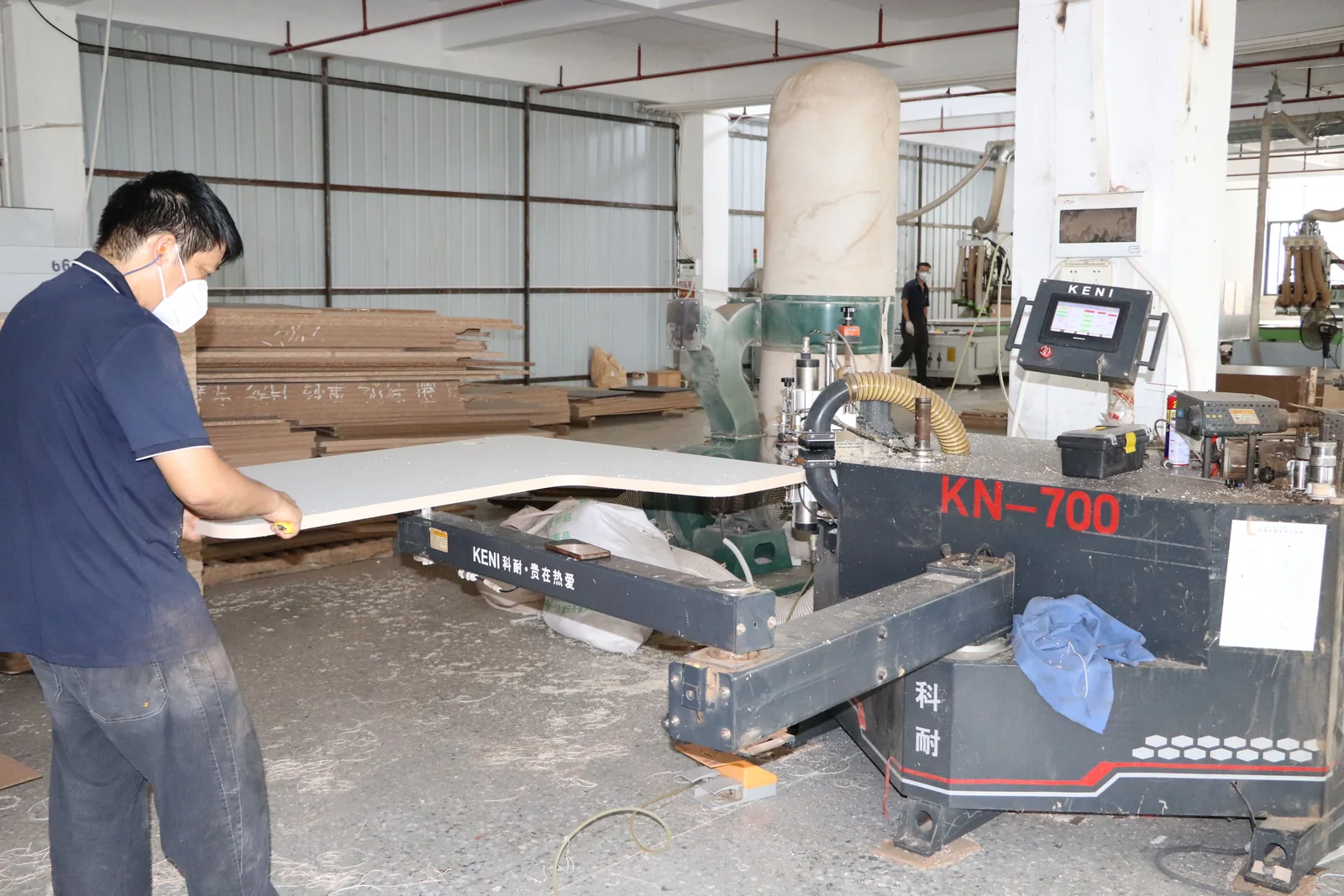
A straight desk can keep display and input devices in one line. An L-shaped desk can create separate zones for the PC, a secondary screen or writing, but adds a return to plan and clean around.
Neither format is inherently better. If the room is tight, mark the footprint on the floor and include chair travel, doors, drawers and outlet access. Legs, returns and cable connections can affect placement as much as the desktop.
Fixed-Height vs. Height-Adjustable Options
A fixed-height desk focuses the comparison on surface, structure, storage and setup. An adjustable option adds questions about range, controls, cable travel, assembly, power supply, safety features, load definition and the desktop configuration used for any published figure.
Do not infer stability or safety from a motor count or image. Buyers considering an adjustable configuration should use the standing desk frame buyer’s guide for a model-by-model evidence request.
BUYER'S GUIDE
Which Gaming Desk Features Are Useful—and Which Are Optional?
Features should solve a repeat setup problem. A cup holder can keep a drink outside the mouse area, a headset hook can free surface space and a drawer can store small items. Each also uses space, adds a cleaning point or raises a compatibility question.
| Feature | Practical Use | Space or Maintenance Consideration | Compatibility To Confirm |
|---|---|---|---|
| Rounded front edge | May improve keyboard-area comfort | Clean around it | Exact edge profile |
| Cup holder | Keeps drinks off the mouse zone | May protrude | Position and interference |
| Headset hook | Frees desktop space | Uses side clearance | Side and mounting method |
| Cable tray or grommet | Routes leads to the outlet | Needs access and collects dust | Capacity, location and installation |
| Monitor arm provision | May free desktop space | Uses edge space | Mounting method, top thickness and load documentation |
| Drawer or shelf | Stores small accessories | Affects knee room and cleaning | Drawer travel and assembly |
Cable Management and Accessory Compatibility
Cable management is useful only when the route works end to end. Map each device to power and data, including the monitor arm, back edge, tray, leg area and outlet. Avoid trapping cables at drawers, moving parts or the chair, and leave service slack.
Built-in routing does not remove the need to check electrical components. For a powered desk, socket or USB module, ask which component is supplied and which documents apply in the intended market. Great Britain’s electrical-equipment guidance assigns manufacturers and importers responsibilities for in-scope items, including documentation, conformity assessment and identification; that is not a generic certificate claim for a desk. [2] In Australia, scope and evidence depend on the equipment and EESS risk level. [3]
BUYER'S GUIDE
Desktop Surface, Finish, and Everyday Care
Choose a surface by its appearance, feel and maintenance needs. A dark, textured or printed surface can change the setup’s visual character, while smoother surfaces may show dust or fingerprints. Those observations do not establish scratch, stain, heat or abrasion performance; that needs product documentation for the exact configuration.
Ask for the current finish name or code, sample where possible, cleaning instructions, document date and exclusions. Use the approved method rather than assuming a household cleaner is suitable. Request separate care guidance for a mat, trim, lighting or bonded accessory.
BUYER'S GUIDE
Stability, Load, and Safety: What To Verify Before Buying
A sturdy appearance is not evidence for a load rating, stability result or safety outcome. Request the model, configuration, specification or drawing revision, assembly instructions, warnings and any available test or inspection record. For a published load figure, ask what configuration it covers and whether it includes the desktop, accessories or monitor arms.
Check stated floor conditions, fasteners, adjustment steps and whether assembly requires a second person. Do not modify a desk or attach accessories beyond written instructions unless compatibility is confirmed.
Storage-equipped furniture needs extra attention where children may be present. Australia’s ACCC Product Safety guidance advises buyers to consider stability, warning information and anchoring where appropriate for freestanding furniture, especially pieces with drawers or doors. [4] It does not mean every gaming desk needs anchoring; follow the specific product instructions.
For any product offered with an adjustable base, keep the frame assessment separate from the gaming accessories. Our standing desk frame buyer’s guide explains the evidence fields to request without assuming performance from a feature name.
BUYER'S GUIDE
Build a Gaming Setup That Works With Your Room
Plan the desk position, screen arrangement, PC location, outlet, cable route, chair movement and path through the room. Include access for cleaning, reconnecting cables and rear panels. A tidy product image may not preserve an outlet or walkway in the actual room.
Keep the monitor generally in front of the user and leave usable depth for the display, keyboard and pointing device, consistent with OSHA guidance. [1] Do not borrow another setup’s desk dimension: screen stands, arms, chair adjustment and tasks change the required space. Use the gaming desk size planning guide to compare candidates.
A compact plan can be recorded before shopping:
| Planning Field | Your Record |
|---|---|
| Usable room width and depth | |
| Monitor and stand/arm footprint | |
| PC and streaming equipment location | |
| Outlet and cable route | |
| Chair, door and walkway conflicts | |
| Candidate model and specification version |
BUYER'S GUIDE
A Gaming Desk Buying Checklist for Players and Streamers
Use this as a decision record, not a promise that every product has every feature.
- I have listed the equipment that needs desktop, attachment or cable space.
- I have measured the usable room area and tested the chair, door and walkway route.
- I have compared straight, L-shaped and adjustable options where relevant.
- I know which accessories are essential and which are optional.
- I have checked cable routing from each device to the outlet without relying on a product image.
- I have reviewed the model’s dimensions, configuration, assembly and care guidance.
- I have verified any monitor-arm, drawer, shelf or accessory compatibility in writing.
- I have read supplied warnings and instructions relevant to storage or electrical components.
- I have checked the seller’s applicable return, delivery and support terms before purchase.
For desk options, visit GB Ergonomic products. The resources page covers related workstation topics without acting as a product specification.
BUYER'S GUIDE
Sourcing Gaming Desks for a Brand or Retail Range
For a retail range, turn the player checklist into one sourcing brief. Define the market, channel, target user and setup; then specify desk format, features, finish direction, brand presentation, pack-out, SKU mix and required evidence. The goal is for every supplier to quote the same scope.
Questions To Send a Potential Supplier
Ask for answers tied to a model and configuration, not a generic catalogue image:
- Which format, desktop, finish, accessory and packaging configuration is quoted?
- Which drawings, dimensions, assembly and care instructions support that configuration?
- Which components are included, excluded or buyer-supplied, including monitor arms, electrical modules and brand packaging?
- Can the supplier provide an approval or finish sample, and how will changes be recorded?
- Which documents, labels, warnings or electrical-component information apply in the destination market?
- What trade terms, sample steps, milestones and inspection or acceptance responsibilities are proposed?
The design-source and product-development boundary is a separate decision. See OEM vs. ODM office furniture before describing a range as custom, exclusive or owned by either party.
Compare Quotes on the Same Scope
A unit-price comparison is useful only when the scope is aligned. Use the same specification version, configuration, quantity, packaging, destination and document request, then record gaps instead of assuming them away.
| Quote Field | Supplier A | Supplier B | Clarification Needed |
|---|---|---|---|
| Model, configuration and drawing revision | |||
| Desktop, finish and accessory scope | |||
| Included and excluded components | |||
| Brand marks, labels and packaging | |||
| Sample and approval record | |||
| Market documentation and warnings requested | |||
| Trade term and named place | |||
| Delivery milestone assumptions | |||
| Inspection or acceptance responsibilities |
For a reusable request structure, use the office furniture RFQ and quotation comparison guide. It keeps quotations comparable without implying a fixed price, MOQ, lead time, warranty or certification.
Discuss Your Gaming Desk Configuration. If you are planning a brand or retail range, share your target market, preferred desk format and feature priorities through our contact page. Include a configuration list or current drawing if you have one, so the conversation can stay focused on the scope to be verified.
FREQUENTLY ASKED QUESTIONS
Questions to settle before you request a quotation.
What Should I Look For in a Gaming Desk?+
Start with the room, equipment and daily tasks. Then compare format, usable surface, cable route, accessory compatibility, care needs and exact model documentation. The setup matters more than a gaming look.
Is a Gaming Desk Useful for a Regular PC Setup?+
It can be, if its format and features suit the setup. A PC workspace may benefit from cable routing or monitor-arm compatibility but not need a headset hook, cup holder or gaming-styled finish. Judge it by the actual equipment and tasks.
Do I Need Built-In Cable Management?+
Not necessarily. Built-in routing helps when it matches device-to-outlet routes and remains accessible for cleaning or changes. Confirm tray capacity, cut-out location, mounting method and interaction with drawers, a chair or an adjustable element.
What Should a Retailer Include in a Gaming Desk Sourcing Brief?+
Include target market, channel, user and setup scenario, format, features, SKU and packaging needs, brand presentation, required documentation, sample approval and commercial terms still needing agreement. Use the same brief for every quotation.
RELATED BUYER GUIDES
Continue with the next practical question.
Each guide below develops the product, evidence or commercial question that naturally follows this one.
GAMING DESKS
How to Choose a Gaming Desk Size for Your Room, Monitors, and Setup
Use a room-first approach to choose desk width, depth, monitor space and practical clearance.
PRODUCT DEVELOPMENT
How to Build a Private-Label Standing Desk Program Without Losing Your Brand Distinction
Build a differentiated desk program from platform decisions, sample control and launch-ready evidence.
STANDING DESKS
Standing Desk Frame Buyer’s Guide: How to Choose the Right Electric Base
Compare electric bases through final configuration, evidence, controls and a like-for-like commercial brief.
READY TO MAKE A MORE INFORMED DECISION?
Discuss Your Product Brief
Share the product direction, destination market and open questions. We will help identify the details worth clarifying before a quotation or sample discussion.
Get a focused responseSOURCES AND FURTHER READING
The references below support the standards, procurement and workplace context in this guide. Requirements should always be verified against the exact product configuration, destination market and commercial arrangement.
ABOUT THIS GUIDE
Written by the GB Ergonomic Editorial Team and reviewed on October 27, 2026. This is an educational buyer resource, not legal, certification or regulatory advice. Product evidence, standards and commercial terms should be confirmed for the exact configuration and destination market.