
BUYER'S GUIDE
Standing Desk Frames: What Buyers Should Decide First
An electric standing desk frame is the adjustable base beneath the worktop: legs, support structure, lifting system, controls, feet, and desktop interfaces. Specify it as part of a workstation, rather than as an isolated commodity.
A useful route is need → specification → document. Describe the workstation job, identify a configuration, then request documents that apply to it. This avoids conclusions based on a generic photo, broad product-family claim, or incomplete quotation.
For computer work, the surface should support sensible positioning of the display, keyboard, pointing device, and user. OSHA notes that desk depth, under-desk clearance, and component placement can affect posture and reach; it advises that desks accommodate a variety of working postures (OSHA Computer Workstations eTool). UK HSE similarly places the keyboard just below elbow height in its standard display-screen setup (HSE). These are principles, not a promise that any frame will suit every user or setup.
For a commercial range, turn these questions into a brief: intended desktop sizes and materials, equipment in scope, setting, and destination market. A credible response includes the assumptions.
| Requirement | Field To Confirm | Acceptable Evidence To Request | Still To Be Answered |
|---|---|---|---|
| Intended use | User scenario, equipment, and desktop plan | Written brief or approved configuration sheet | Are accessories included? |
| Desktop fit | Size, thickness, mounting area, and fixing method | Dated drawing and compatibility instructions | Are pilot holes or inserts required? |
| Adjustment | Minimum and maximum height for the stated configuration | Model specification with document date | Does the figure include the selected top and feet? |
| Load rating | Definition, configuration, and test basis | Model-specific specification or relevant test record | What items count toward the stated load? |
| Destination | Sales market, plug, voltage, and supplied components | Market-specific product and power information | Which local requirements remain buyer-owned? |
Browse the standing desk options in our products collection only after the required configuration is clear; product pages should be checked against the current technical documents rather than treated as a substitute for them.
BUYER'S GUIDE
Check Desktop Fit, Frame Dimensions, And Intended Use
The desktop is not an afterthought. Its dimensions, material, thickness, underside construction, and fixing positions can influence whether a frame can be installed as intended. Give the supplier a drawing or dimensioned brief, then request a response for the exact frame model.
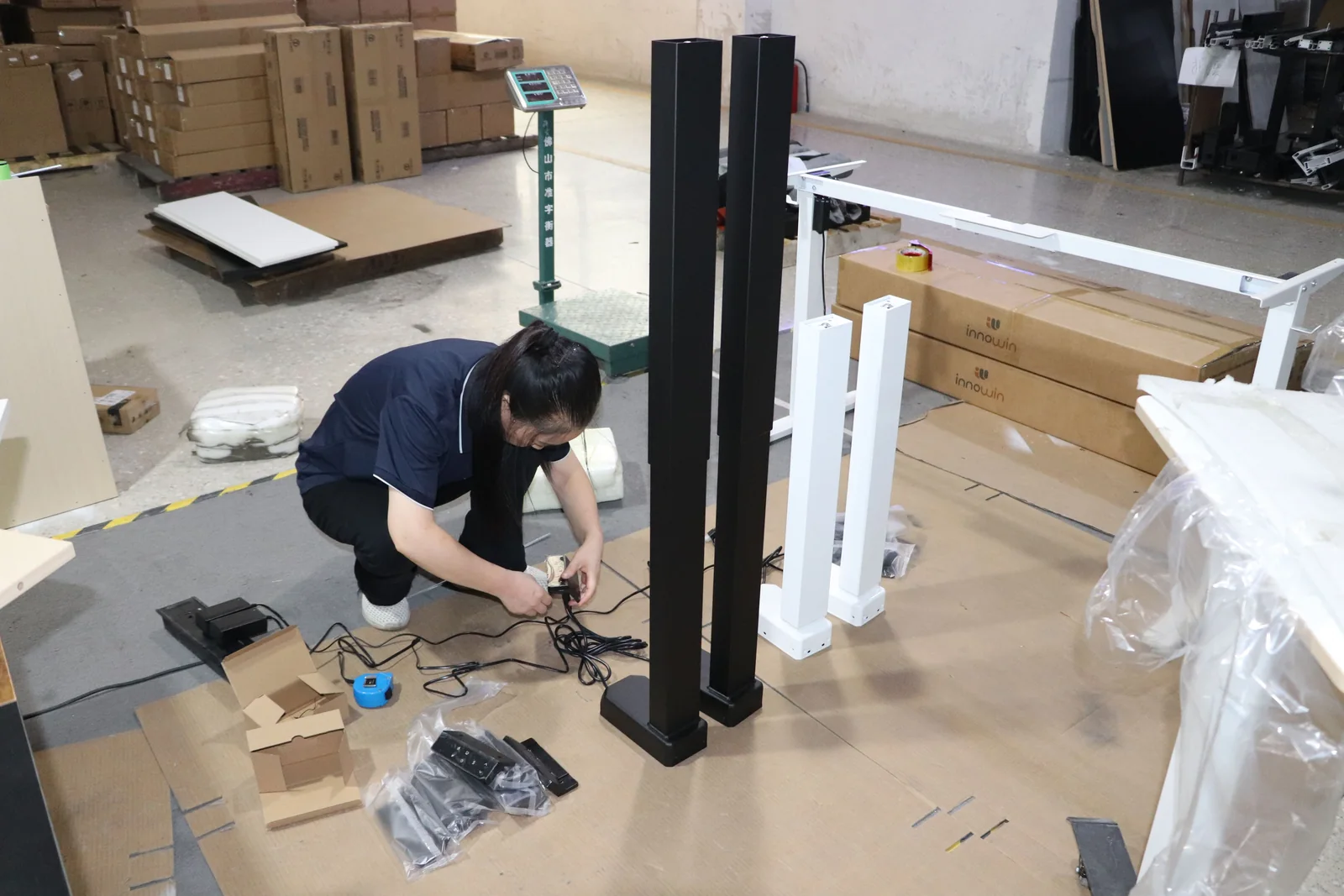
Match The Frame To The Desktop You Plan To Use
Ask how the desktop attaches, what adjustment or width range is intended, and whether proposed mounting positions are compatible. Check legs, rails, handset, cable routing, and attachment points against the planned worktop. A compatibility statement should identify the model, drawing revision, and desktop assumptions; “fits most tops” is not enough for a purchasing record.
OSHA advises allowing enough depth to position a monitor in front of the user and arrange frequently used items within an accessible work zone (OSHA). It is a reminder to account for monitors, keyboard position, documents, and cable routing before selecting the base—not a universal desktop-size rule.
List Room, User, And Workstation Constraints
Record constraints before asking for a recommendation: floor area, circulation routes, power access, floor type, users, monitor arrangement, storage, and whether the desk must move after installation. In smaller rooms, a compatible frame can still create a poor layout once chair movement and monitor depth are included.
The small standing desk options guide covers compact product choices, while our guide to measuring a room for a sit-stand desk focuses on layout inputs. Keep these questions separate from the frame’s own dimensions so each can be verified properly.
BUYER'S GUIDE
Interpret Height Range And Load Ratings By Model
Compare height and load information only when definitions align. An adjustment range may be measured to a point on the frame or to a work surface in a stated setup. A load rating may refer to another configuration, include or exclude the desktop, or rely on an unstated weight distribution. A lower or higher number alone does not establish a better choice.
Ask the supplier to complete a model-specific record before shortlisting:
| Field | What To Record | Why It Matters |
|---|---|---|
| Frame model and revision | Exact SKU, leg stage, feet, and options | Prevents a family-level claim being applied to a different configuration |
| Minimum and maximum height | Measurement reference points and whether the top is included | Makes the range usable for the intended workstation |
| Rated load | Definition, included items, and distribution assumptions | Allows a meaningful comparison across offers |
| Test or assessment basis | Applicable standard or method, record reference, and date | Shows what the evidence does—and does not—cover |
| Desktop and accessory assumptions | Worktop, monitor arms, cable management, and other additions | Connects the rating to the actual setup |
Commercial buyers may ask whether evidence is relevant to an applicable voluntary furniture standard, such as ANSI/BIFMA X5.5-2021, which BIFMA describes as covering desk and table products, including height-adjustable tables (BIFMA Standards Descriptions). That does not make a product compliant or certified. Request the scope, configuration, report identity, and current status.
Ask What The Published Capacity Includes
Ask: What is included in the stated load, and under what configuration and conditions was it determined? Confirm whether the desktop, display equipment, arms, cable accessories, or other components are counted. If the answer is unclear, record an open issue rather than converting it into a comparison number.
Verify The Adjustment Range Against The Actual Setup
An appropriate range is about the finished workstation. Review the desktop and relevant accessories alongside expected users and work patterns. HSE’s workstation illustration uses relationships such as screen at eye level and keyboard just below elbow height, but it is not a frame specification (HSE). Validate the chosen configuration rather than treating generic guidance as model approval.
BUYER'S GUIDE
Compare Drive, Controls, And Safety Features Without Assuming
Drive systems, handsets, memory settings, cable arrangements, and optional anti-collision functions can affect use and installation. Check them neutrally. Do not infer lifting capability, reliability, safety performance, or suitability from labels such as “dual motor,” “smart control,” or “anti-collision.”
Separate Feature Names From Verified Performance
For every feature, request the model-specific description, instructions, limitations, and supporting document. Confirm whether it is standard, optional, or unavailable. Where power equipment is supplied, verify plug type, input requirements, and power-supply details for the destination. Do not assume a component offered for one market suits another.
Safe Work Australia recommends designing workstations so workers can vary posture and movement, while noting that prolonged standing can create fatigue (Safe Work Australia). That supports a considered workstation plan, not a health-outcome claim.
Route Motor-Architecture Questions To The Dedicated Comparison
A single-motor versus dual-motor discussion needs more space than a buying guide can give it responsibly. For the decision factors and evidence to request, see the planned single-motor vs dual-motor frame comparison. Use it to frame questions, then return to the exact model documents and quote—not to apply a blanket rule that one architecture is always better.
BUYER'S GUIDE
Review Frame Construction, Finish, And Available Options
Review the physical frame at SKU level. Ask for the current drawing, finish description, colour availability, feet or caster options, controls, and accessories. Compare documents against photographs or samples only after confirming what they represent.
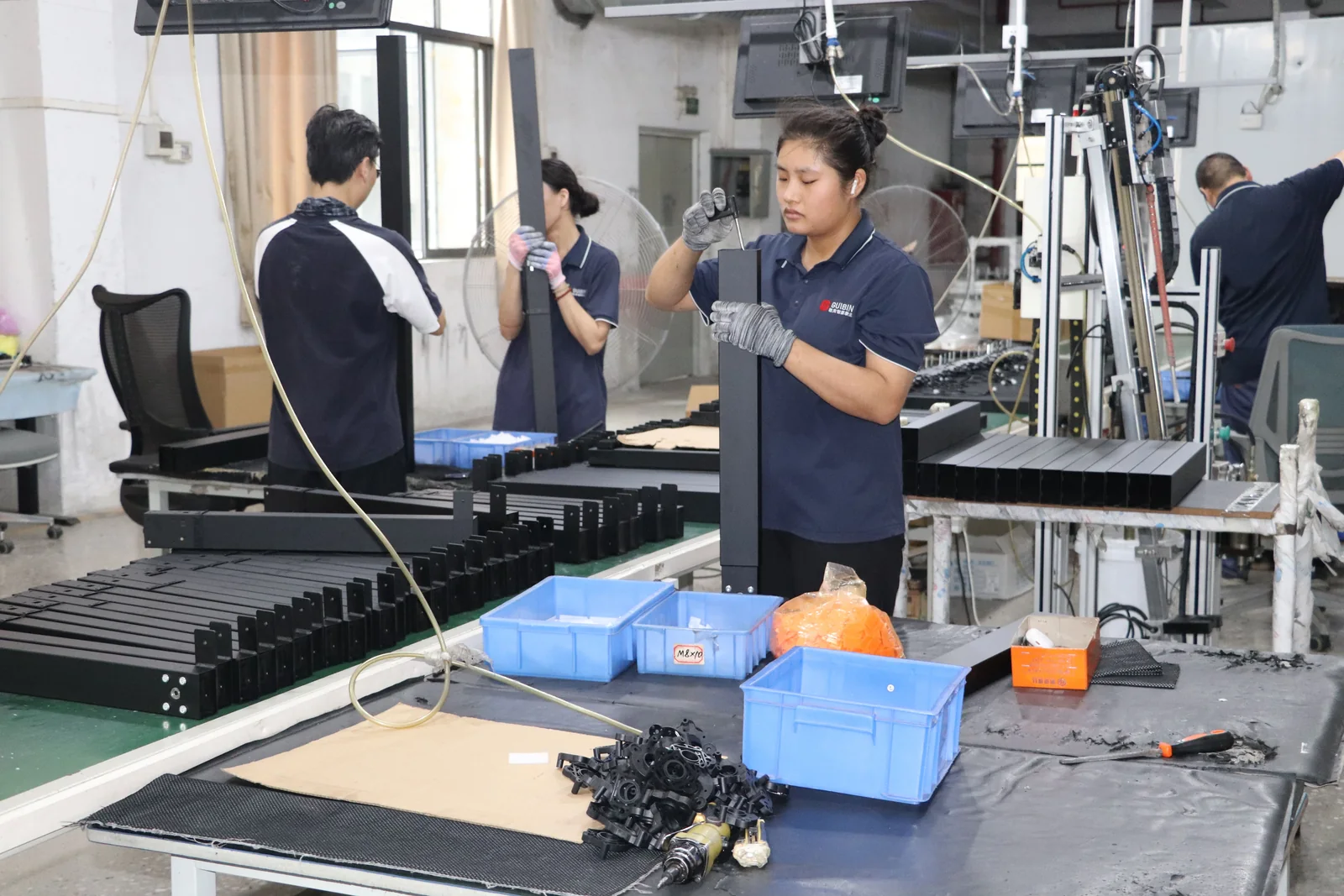
The leg set in a photograph can differ from the model quoted, and an option can affect dimensions, installation, and document scope. Ask the supplier to label the final configuration in writing. Do not treat a construction description or finish name as proof of structural performance or durability without a relevant current record.
BUYER'S GUIDE
Check Installation, Power, Packaging, And After-Sales Details
Before purchase, ask how the product is delivered and installed, what is in the carton, what fixings are supplied, and which tasks remain with the installer or buyer. Request exact-model instructions and clarify whether the desktop is supplied, pre-drilled, or buyer-provided.
For US, UK, and Australian orders, identify the destination before finalising power and plug details. Seek written confirmation of electrical configuration and relevant documentation; do not assume a general product statement covers every destination. Also ask about packaging, spare-parts availability, and formally approved warranty terms. If these are not documented, list them as unresolved.
Confirm the included components, fixings, controls, and instructions; desktop preparation, site power, and assembly steps; destination-market power arrangement; and approved packaging, replacement-parts, and warranty terms.
For practical installation and procurement references, visit our office furniture resources. Project-specific requirements should still be recorded in the quotation and final order documents.
BUYER'S GUIDE
Compare Supplier Quotes On A Like-For-Like Basis
A fair frame comparison begins when every supplier responds to the same brief. State the required model or specification, desktop assumptions, quantity, destination, requested documents, and inclusions or exclusions. Ask suppliers to show differences rather than leaving the buyer to infer them.
| Comparison Field | Supplier A | Supplier B | Buyer Check |
|---|---|---|---|
| Model and configuration | Exact SKU, controls, feet, and options stated? | ||
| Desktop compatibility | Same worktop assumptions and mounting method? | ||
| Documented specifications | Same measurement and load-rating definitions? | ||
| Included and excluded items | Desktop, hardware, accessories, packaging, and freight scope clear? | ||
| Documents requested | Drawings, instructions, and applicable evidence tied to the model? | ||
| Warranty, if approved | Terms, scope, and exclusions provided in writing? | ||
| Open questions | Owner and due date recorded? |
Request Evidence For The Exact Configuration
Ask for the configuration identifier on drawings, specifications, instructions, and any test or assessment records. Check dates and revisions. If a document concerns a related product, record the relationship and ask whether it applies; do not assume it does.
Keep Consumer Choices Separate From Wholesale Due Diligence
A consumer may focus on fit, controls, and installation. A commercial buyer also needs quote scope, documentation, market destination, packaging, and responsibility for open issues. Keep those layers separate so preferences do not obscure commercial risks.
BUYER'S GUIDE
Use A Pre-Purchase Checklist To Make The Final Decision
Before selecting an electric standing desk frame, connect the intended workstation to the evidence supplied. If a critical item remains unclear, request a written response or pause the decision.
- Desktop, fastening approach, accessories, and user scenario are recorded.
- The selected model and configuration appear on the current drawing and specification.
- Height range and load-rating definitions are understood for that configuration.
- Controls, instructions, and power details have been checked.
- Destination market, packaging scope, and supplied components are confirmed in writing.
- Documents identify the relevant model or their scope is explained.
- Included, excluded, and unresolved quote items are visible in one record.
- Approved warranty or after-sales terms are documented for the order.
A standing desk frame decision is stronger when desktop fit and evidence point to the same answer. That makes it possible to compare proposals without confusing a feature list with proof.
If you are considering a GB Ergonomic frame, request a frame specification review. Share the intended desktop, target market, configuration requirements, and the questions you need answered. This is a scoped specification discussion, not a claim that a particular model is suitable before its documents have been reviewed.
FREQUENTLY ASKED QUESTIONS
Questions to settle before you request a quotation.
Are All Standing Desk Frames Compatible With Every Desktop?+
No. Confirm the exact frame model, desktop dimensions and construction, mounting points, fastening method, and the supplier’s stated compatibility conditions. A general product-family statement does not establish compatibility with a specific worktop.
How Should Buyers Compare Standing Desk Frame Load Ratings?+
First align the definition, configuration, and supporting record. Ask what the rating includes, how it relates to the desktop and accessories, and whether the same assumptions apply to every quote. Do not compare numbers when those answers differ or are unknown.
Is A Dual-Motor Frame Always Better Than A Single-Motor Frame?+
No blanket answer is reliable. The appropriate choice depends on the exact configuration, operating requirements, controls, evidence available, and buyer priorities. See the [single-motor vs dual-motor frame comparison](/blog/single-vs-dual-motor-standing-desk-frame/) for the questions to put to suppliers.
What Frame Documents Should A Business Buyer Request?+
Request the current model specification, dimension or compatibility information, installation instructions, power and market details where relevant, and applicable test, assessment, or certification evidence for the exact configuration. Also ask for written clarification of inclusions, exclusions, and any approved warranty terms.
RELATED BUYER GUIDES
Continue with the next practical question.
Each guide below develops the product, evidence or commercial question that naturally follows this one.
STANDING DESKS
Single-Motor vs Dual-Motor Standing Desk Frames: A Buyer’s Decision Framework
Compare motor configurations around the actual desk, use case, evidence and commercial scope.
SOURCING
Frame-Only or Complete Desk? How to Choose the Right Standing Desk Supply Model
Understand the trade-offs across product ownership, tabletop integration, packing and customer service.
MANUFACTURER SHORTLIST
Top 10 Standing Desk Manufacturers in China (2026)
Compare 10 standing desk manufacturers in China for complete desks, frames and OEM/ODM sourcing, with buyer questions and a quotation checklist.
READY TO MAKE A MORE INFORMED DECISION?
Discuss Your Product Brief
Share the product direction, destination market and open questions. We will help identify the details worth clarifying before a quotation or sample discussion.
Get a focused responseSOURCES AND FURTHER READING
The references below support the standards, procurement and workplace context in this guide. Requirements should always be verified against the exact product configuration, destination market and commercial arrangement.
ABOUT THIS GUIDE
Written by the GB Ergonomic Editorial Team and reviewed on October 27, 2026. This is an educational buyer resource, not legal, certification or regulatory advice. Product evidence, standards and commercial terms should be confirmed for the exact configuration and destination market.